
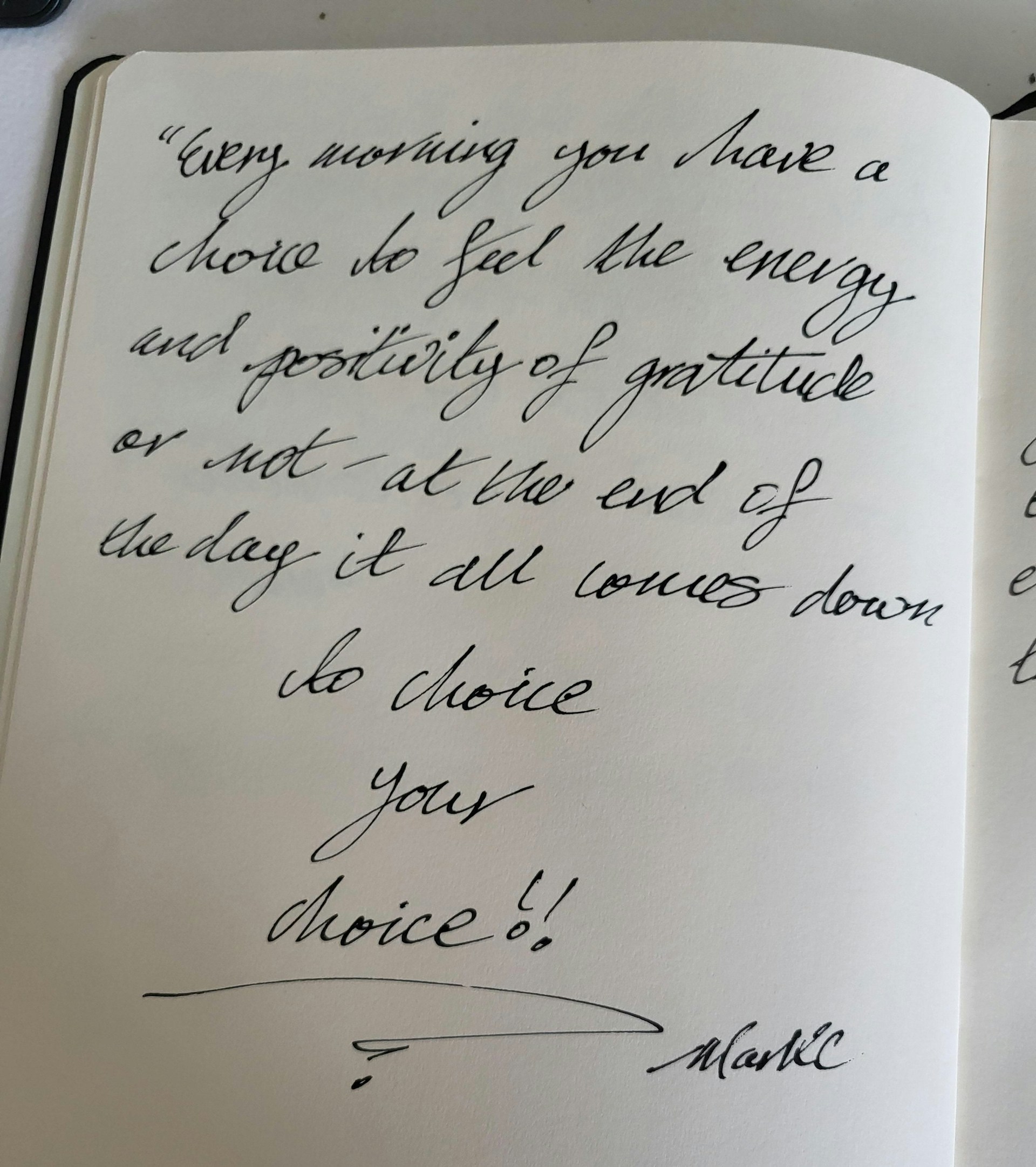
Press ⌃⇧2 and drag a box over any text: handwriting, images, videos, locked PDFs. Let go and it’s on your clipboard.
Everythingbecomestext
Handwriting, screen text and voice — all into your clipboard in one click.
 Download for Mac
What it does
Press ⌃⇧4 and drag a box over anything. Google Lens opens in your browser, the image on your clipboard.
Press ⌃⇧3, speak, press again. It’s pasted at your cursor, transcribed on your Mac and never saved.
From your screento your clipboard



Privacy
Your screen and your voice stay on your Mac.
Arcopy does all the recognition locally. Nothing you capture is uploaded, stored or used to train anything.
Compatibility
Made for your Mac.
- macOS 26+Tahoe or later
- Apple SiliconM1 or newer
- ~28 MBPlus an optional 630 MB voice model
- 25+ languagesHandwriting, screen text and voice
- Up to 3 MacsOne license, move it from Settings
- 3 permissionsScreen Recording, Microphone and Automation
Pricing
Try it first,
Arcopy For Mac
$29.90
One-time
Up to 3 Macs7-day free trial, no account
Tax added at checkout where it applies
pay once.
FAQ
Frequently asked questions
01.Is there a free trial?
Yes. Every action works for 7 days, with no account and no payment details. After that, Arcopy is a one-time purchase of $29.90 for up to 3 Macs.
02.What can Arcopy turn into text?
Handwriting and any text on your screen, even where you can’t select it: photos, videos, scanned and locked PDFs. And your own voice, typed where your cursor is.
03.Does anything I capture leave my Mac?
No. Text and speech are recognised on your Mac, and nothing is saved or uploaded. The only exceptions are ones you start yourself, like an image search, which opens Google in your browser.
04.Which Macs and languages does it support?
Any Apple Silicon Mac on macOS 26 Tahoe or later. Handwriting, screen text and voice work in more than 25 languages. One license covers up to 3 Macs that you use. To move it to a new Mac, first deactivate this Mac from inside the app, in Settings → License.
05.Can I get a refund?
Yes. You can ask for a full refund within 14 days of your purchase, no questions asked. See the Refund Policy.
06.Do I get updates?
You get every update of the major version you bought, for example every 1.x release. A later major version may be a separate upgrade.
Everything
becomes text
Handwriting, screen text and voice — all into your clipboard in one click.
Download for MacFree for 7 days, then $29.90 once.